 +
+

Integration Guide
Send SMS via CartFox from your Klaviyo flows
0
Create a CartFox Account
Don't have a CartFox account yet? Sign up at cartfox.io — it's free to start with 300 SMS credits, no credit card required.
Klaviyo integration only? You don't need to install the CartFox plugin or connect your website. Just create an account and get your Transactional API credentials.
1
Add a Webhook to Your Flow
In your Klaviyo flow, drag in a Webhook action where you want to send the SMS.
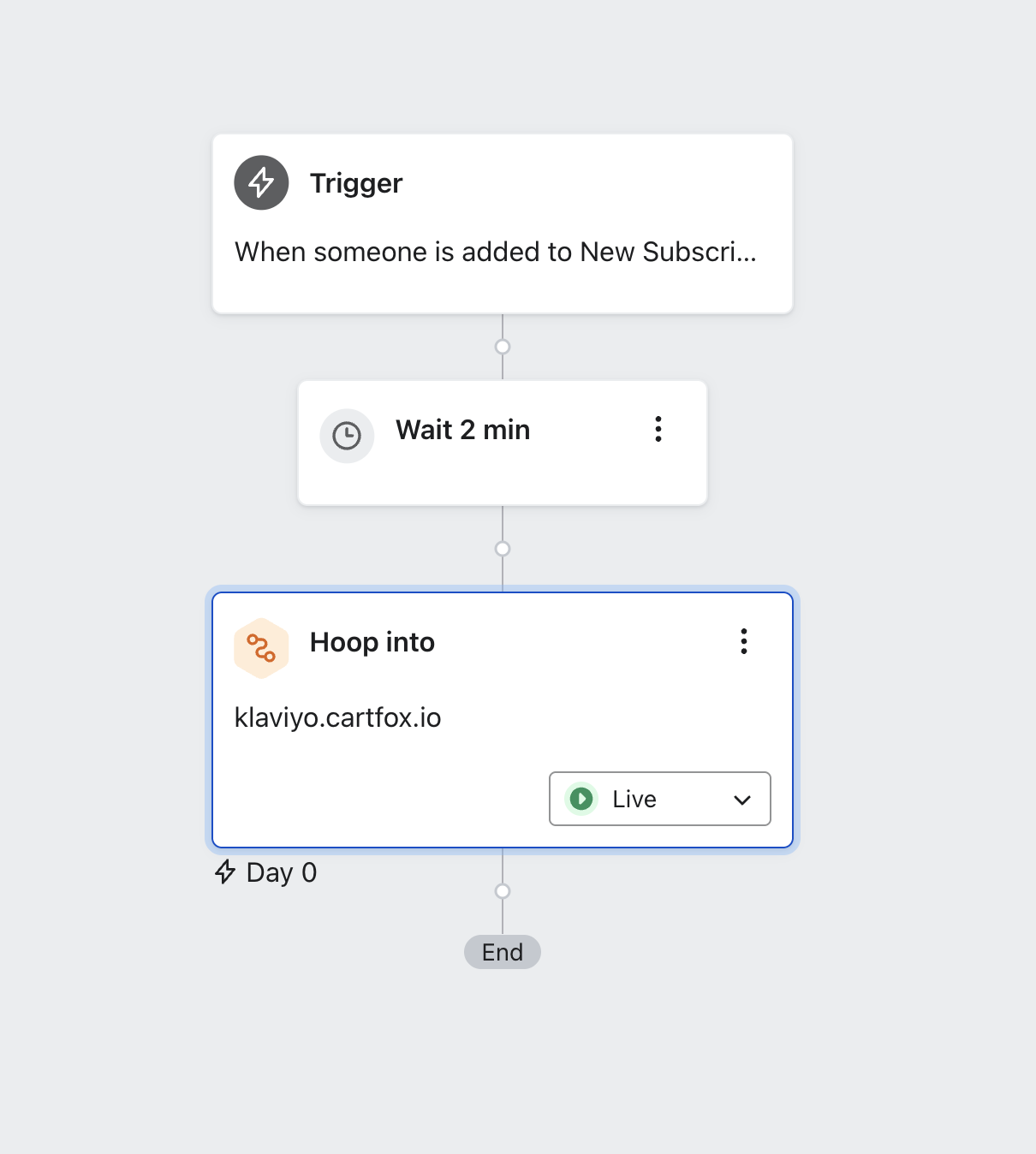
2
Configure the Webhook
Click the webhook to open settings. Set the destination URL and add the required headers.

Destination URL
https://klaviyo.cartfox.io/send-event
Headers
| Key | Value |
|---|---|
CF-API-KEY |
Your transactional API key |
CF-SENDER-NAME |
Your sender name |
Where to find these?
• API Key → Transactional API
• Sender Name → Organization → Plans
• API Key → Transactional API
• Sender Name → Organization → Plans
Transactional API not visible in menu? Contact our sales team and we'll enable it for you once you're eligible.
3
Set the JSON Body
Choose between sending a direct message or using a CartFox template.
{
  "phone": "{{ person.phone_number }}",
  "country": "{{ person.Country }}",  // or "SI", "US", etc.
  "message": {
    "content": "Hey! Your order is confirmed 🎉"
  }
}
{
  "phone": "{{ person.phone_number }}",
  "country": "{{ person.Country }}",  // or "SI", "US", etc.
  "message": {
    "message_id": 2,
    "data": {
      "BRAND": "CartFox",
      "CUSTOMER_NAME": "{{ person.first_name }}",
      "SHOP_URL": "https://cartfox.io",
    }
  }
}
phone
Recipient's phone — use the Klaviyo variable
country
ISO country code like
SI, US, DE — or use {{ person.Country }}
message.content
Your SMS text (direct message only)
message.message_id
CartFox template ID — find it under Transactional API (template only)
message.data
Variables to fill in the template — keys must match exactly
4
Save & Activate
Click Save, set the webhook to Live, and you're done! SMS messages will now send through CartFox when the flow triggers.
Frequently Asked Questions
Can I use Klaviyo variables in the message content?
Yes! You can use any Klaviyo personalization tags like
{{ person.first_name }}, {{ event.value }}, etc. in your message content.What phone number format should I use?
Use the number as stored in Klaviyo via
{{ person.phone_number }}. CartFox handles formatting automatically based on the country code you provide.How do I test the webhook before going live?
Use Klaviyo's Preview button to see the rendered JSON. You can also set the webhook to Manual mode and trigger it for a test profile first.
What happens if the SMS fails to send?
Failed sends are logged in your CartFox dashboard under Transactional API. Common issues: invalid phone number, insufficient balance, or incorrect API key.
Which countries are supported?
CartFox supports SMS delivery to 200+ countries. Check the pricing page for the full list and per-country rates.
Is there a rate limit?
No hard rate limit, but we recommend keeping bursts under 100 messages/second. Contact us if you need higher throughput.
Why add SMS to your Klaviyo flows?
99%
Open rate
30%+
Click-through rate
9800%
Average ROI
Abandoned Cart Recovery
Order Confirmations
Shipping Updates
Flash Sales
Back in Stock
Review Requests
Pricing: You're charged per SMS sent, based on the destination country. View pricing →
Ready to boost your Klaviyo flows with SMS?
Join 1,300+ brands already using CartFox to recover carts and drive sales.
Get Started Free →300 free SMS credits • No credit card required